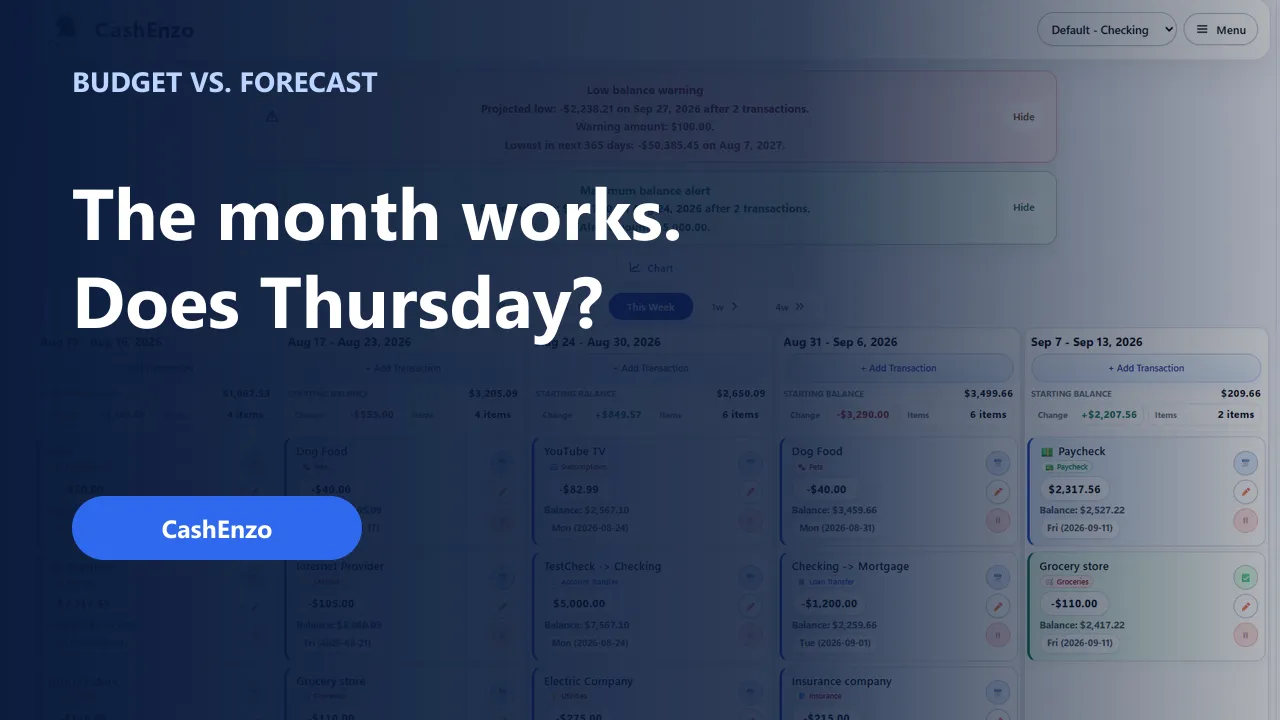
A monthly budget can work on paper while one Thursday still feels uncomfortably tight.
That does not necessarily mean the budget failed. It may mean the timing needs a closer look.
Budgeting and cash-flow forecasting answer different, useful questions. A budget helps organize how much money you plan to use. A forecast adds when money is expected to arrive and leave—and follows what that sequence may do to the balance.
The short comparison
| Planning view | Main question | Particularly useful for |
|---|---|---|
| Budget | How much? | Categories, priorities, and monthly targets |
| Cash-flow forecast | When? | Upcoming balance changes and timing pressure |
You do not have to choose one and ignore the other. A monthly budget can set the plan, while a forecast checks how that plan may unfold across real dates.
If you want to test that timing with your own estimates, use CashEnzo’s free Payday Timing Checkup. It runs in your browser without an account or bank connection, and the balances, dates, labels, amounts, and results you enter are not sent to CashEnzo.
A simple example
Imagine that an account has $780 available today:
| Date | Expected activity | Amount | Projected balance |
|---|---|---|---|
| Today | Starting balance | $780 | |
| Monday | Rent | -$650 | $130 |
| Tuesday | Internet | -$65 | $65 |
| Thursday | Insurance | -$95 | -$30 |
| Friday | Paycheck | +$1,600 | $1,570 |
The month may still work in total. The order creates the squeeze.
A category report can show that rent, internet, and insurance were part of the plan. The forecast calls attention to Thursday, when the projected balance falls below zero before Friday’s paycheck.
A four-step forecast you can make yourself
You can try this with paper, a spreadsheet, or a forecasting tool. The method matters more than the format.
1. Start with what is actually available
Choose one account and record the balance you can work with today. Review pending transactions and holds separately so the starting point is not accidentally overstated.
2. Put confirmed money movement in date order
List the paydays, bills, payments, and transfers you reasonably expect. Use the date the money is expected to become available or leave the account—not just the category or monthly total.
Add practical estimates for groceries, fuel, and other flexible activity when they are likely to affect the period you are reviewing. The forecast does not have to include every dollar to be useful.
3. Follow the running balance
After each item, add the income or subtract the expense. The balance after every step is what reveals the sequence.
Do not stop at the end-of-month balance. The lowest point may happen days or weeks earlier.
4. Review the lowest projected point
First, check whether the dates, amounts, and starting balance are correct. If they are, consider which commitments are fixed and which choices still have flexibility.
The appropriate response depends on your circumstances. Sometimes the lower balance is expected and still within the cushion you chose. Other times, seeing it early gives you time to verify a due date, retain more from the previous payday, transfer money, or delay a flexible purchase.
What a budget still does well
Budgets remain useful for questions such as:
- How much do I want to spend on groceries this month?
- Am I directing enough toward savings or debt payments?
- Which categories have moved away from the plan?
- Do my priorities fit the income I expect?
Those questions help shape the plan. Forecasting does not replace them.
What the forecast adds
A forecast is useful when the question becomes:
- Which bills are expected before the next payday?
- What could the balance look like after this transfer?
- When is the lowest projected point?
- Does an extra payment still leave the cushion I intended?
- What changes if a bill is higher or a payday moves?
Those are timing questions. They are easier to answer when expected activity is attached to dates.
How CashEnzo supports the routine
CashEnzo brings upcoming income, expenses, transfers, card payments, savings goals, and recurring activity into one dated forecast. As actual activity becomes known, you can clear it, correct it, or update what comes next.
You can start manually with one account. CashEnzo does not connect to your bank or ask for your bank password. CSV, QFX, and OFX imports are also available as reviewable drafts when you want to bring in more information.
For a practical weekly workflow, read How to Plan Bills Around Payday With a Cash-Flow Calendar. You can also watch Budget vs. Cash-Flow Forecast: What Each One Tells You when the companion video becomes available.
For the product decisions behind this approach, read Why I Built CashEnzo: See What Your Money Needs Next.
Explore CashEnzo’s forecasting features.
Cash-flow forecasts are estimates and may differ from actual account activity. This article is for general educational purposes and is not financial, tax, legal, or accounting advice.