Most personal finance decisions have two parts: what you want your money to do, and when it needs to happen.
A monthly budget planner helps with the first. A cash-flow forecast helps with the second. They are different views of the same plan, and each becomes more useful when it can inform the other.
If you are starting with the distinction, read Cash-Flow Forecasting vs Budgeting: What’s the Difference?. Here, we will focus on how to put the two views to work together.
What a monthly budget planner tells you
A monthly budget gives your priorities a shape. It can help you decide how much should go toward everyday spending, savings, debt payoff, or another goal that matters right now.
That does not have to mean building a complicated system before you can begin. You might start with a simple spending guardrail. Later, when more detail would genuinely help, you can add individual spending, savings, payoff, and income goals.
The useful questions are straightforward:
- What have I planned for this month?
- How much activity has been recorded?
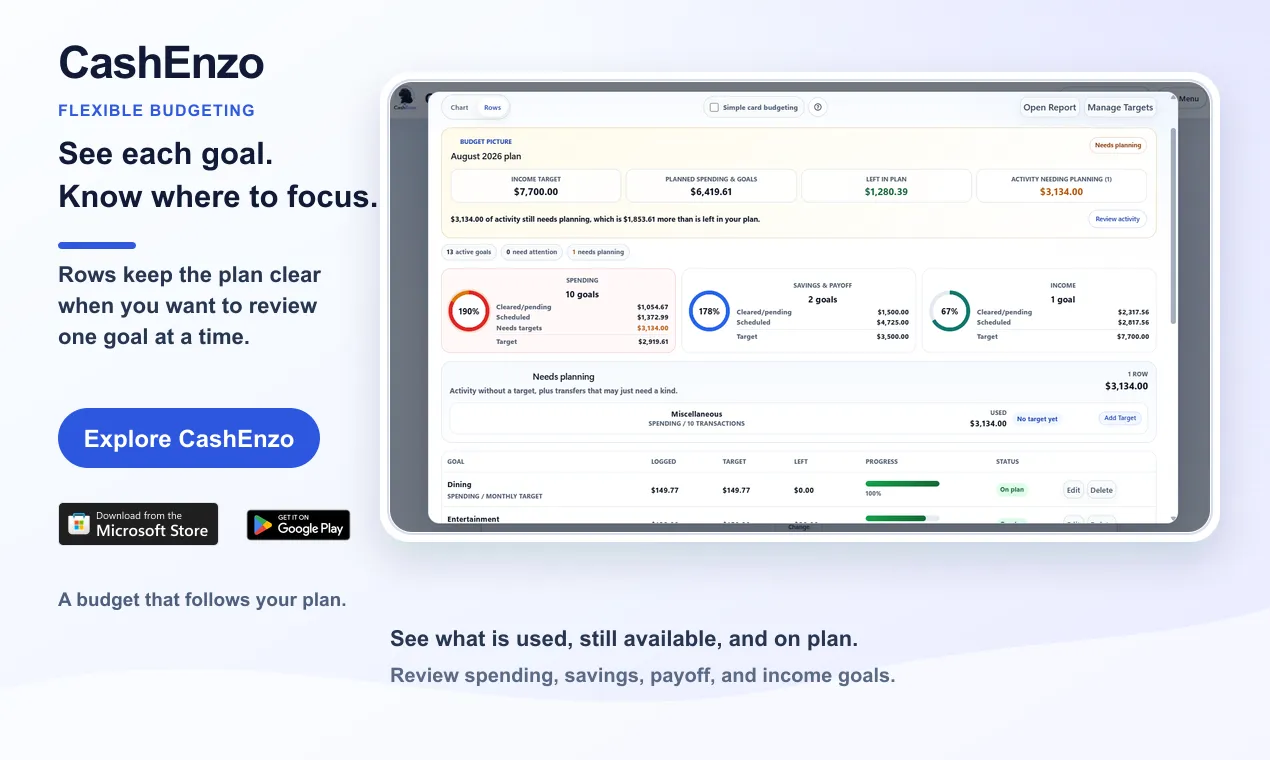
- What is still available?
- Which goals are on plan, and which need another look?
A monthly view can bring order to those decisions. But it does not always show whether the timing works.
What a cash-flow forecast adds
A cash-flow forecast puts the plan on a timeline.
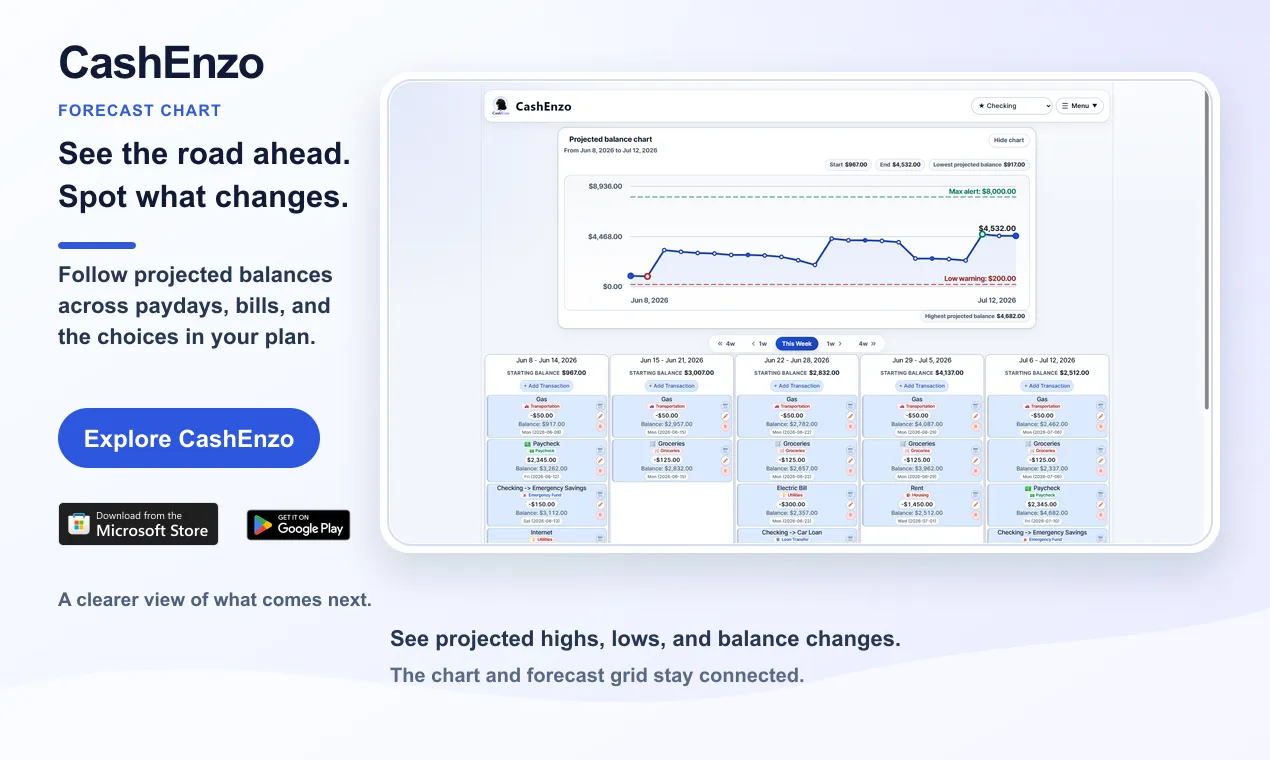
Instead of stopping at a monthly total, it follows the sequence of paydays, bills, transfers, payments, and other planned activity. That makes it easier to see how an account balance may change from one day or week to the next.
This matters because two plans with the same monthly totals can feel very different in real life. A payment that arrives after a large bill does not help with the balance needed before that bill is due. A savings transfer may fit the month overall but leave one week tighter than intended.
The forecast helps answer a different set of questions:
- What is expected to happen before the next payday?
- Where could the balance run lower than intended?
- Is the account projected to build higher than planned?
- What changes if a payment, transfer, or expense moves?
The goal is not to promise a perfect prediction. It is to make the road ahead easier to review while there is still time to adjust.
Why timing can change a good plan
Imagine that your monthly budget covers the mortgage, a credit-card payment, groceries, and a savings goal. On paper, everything fits.
Now place those commitments in order. The mortgage is due early. The card payment follows a few days later. The next payday arrives after both. The monthly plan may still be reasonable, but the forecast reveals a timing question that the total alone could not show.
That early signal does not mean the plan failed. It gives you context. You can review the dates, reconsider the size or timing of a transfer, or decide that the lower balance is expected and manageable.
How CashEnzo keeps both views connected
CashEnzo keeps the forecast at the center while letting the budget grow with you.
Start with one account, your next payday, and the bills ahead. The forecast grid shows the activity behind each projected balance. The chart makes the larger pattern easier to see, including projected highs, lows, and turning points.
When budgeting would help, choose the level of detail that fits your life. Use a simple spending guardrail or create individual goals. The Budget Goals Rows view keeps each goal, its progress, and what remains easy to scan. The Spending & Targets Report provides another way to compare recorded activity with the plan you chose.
These views are not competing systems. The budget describes what you want your money to accomplish. The forecast shows how those commitments may affect the balance over time.
Start simple, then add detail when it helps
You do not need to recreate your entire financial life on the first day.
Begin with the account and upcoming activity that matter most. Add recurring income and bills. Review the next few weeks. If the forecast raises a question, adjust the plan and see how the outlook changes.
Then add transfers, payments, and goals when they become relevant. A useful financial plan should become clearer as it grows—not harder to understand.
Plan without connecting your bank
CashEnzo does not connect to bank feeds or ask for your bank password.
You decide how information gets into the plan. Add activity yourself or import CSV, QFX, or OFX statements. An imported statement begins as a reviewable draft, with private category suggestions that you approve before transactions are saved.
That approach asks a little more of you than an automatic bank connection. In return, you remain in control of what enters the plan and what becomes part of your financial record.
Which one do you need?
If your main question is how much you want to spend or save this month, start with a monthly budget planner.
If your main question is whether the timing of upcoming activity works, start with a cash-flow forecast.
If you need to understand both the priorities and the timing, use them together. The budget gives the money a job. The forecast shows when that job needs to happen and what it may mean for the balance along the way.
For a concise overview of the product, read What is CashEnzo?. CashEnzo is available on the web, on Android through Google Play, and on Windows through the Microsoft Store.